• SplitMetrics Acquire
    • SplitMetrics Optimize
    • App Radar by SplitMetrics
SplitMetrics
    • SplitMetrics Acquire
      SplitMetrics Acquire
      Automate and optimize Apple Ads campaigns at scale
    • SplitMetrics Optimize
      SplitMetrics Optimize
      Run mobile A/B tests, validate hypothesis, launch games and apps
    • App Radar by SplitMetrics
      App Radar by SplitMetrics
      Improve ASO, drive organic installs, elevate app store performance
    • SplitMetrics Intelligence
      SplitMetrics Intelligence
      Unlock 10x marketing efficiency with AI-powered solutions
    Create a free SplitMetrics Acquire account
    Optimize & automate Apple Ads
    SplitMetrics’ Apple Ads Benchmark Dashboard
    Data-driven insights to fuel innovation and growth
    • Gaming
    • Real-Money Gaming
    • Finance
  • Pricing
    • Ultimate App Growth Suite
    • Fully-Managed ASO
    • Fully-Managed Apple Ads
    Explore all our services
    • Cases
    • Blog
    • Industry Benchmarks & Trends
    • Playbooks & Guides
    • Webinars & Events
    • AI Insights
    • About
    • Partners
    • Careers
    • Legal
    • Contact
    • SplitMetrics Acquire
    • SplitMetrics Optimize
    • App Radar by SplitMetrics
Finance Apps: Apple Ads & ASO Trends 2025 by SplitMetrics
6% complete
  • 1. Executive Summary
  • 2. State of the Finance Apps Market
  • 3. Apple Ads Benchmarks for Finance Apps by SplitMetrics
  • 3.1. Average Tap-Through Rate (Search Results)
  • 3.2. Average Conversion Rate (Search Results)
  • 3.3. Average Cost per Tap (Search Results)
  • 3.4. Average Cost per Acquisition (Search Results)
  • 3.5. Average Tap-Through Rate (Aggregated Data, All Placements)
  • 3.6. Average Conversion Rate (Aggregated Data, All Placements)
  • 3.7. Average Cost per Tap (Aggregated Data, All Placements)
  • 3.8. Average Cost per Acquisition (Aggregated Data, All Placements)
  • 3.9. UA Strategies for Finance Apps
  • 4. App Store Optimization Benchmarks
  • 4.1. Icon Trends
  • 4.2. Screenshot Trends
  • 4.3. Video Preview Trends
  • 4.4. Ratings & Reviews
  • 4.5. In-App Events Trends
Finance Apps: Apple Ads & ASO Trends 2025 by SplitMetrics
6% complete
  • 1. Executive Summary
  • 2. State of the Finance Apps Market
  • 3. Apple Ads Benchmarks for Finance Apps by SplitMetrics
  • 3.1. Average Tap-Through Rate (Search Results)
  • 3.2. Average Conversion Rate (Search Results)
  • 3.3. Average Cost per Tap (Search Results)
  • 3.4. Average Cost per Acquisition (Search Results)
  • 3.5. Average Tap-Through Rate (Aggregated Data, All Placements)
  • 3.6. Average Conversion Rate (Aggregated Data, All Placements)
  • 3.7. Average Cost per Tap (Aggregated Data, All Placements)
  • 3.8. Average Cost per Acquisition (Aggregated Data, All Placements)
  • 3.9. UA Strategies for Finance Apps
  • 4. App Store Optimization Benchmarks
  • 4.1. Icon Trends
  • 4.2. Screenshot Trends
  • 4.3. Video Preview Trends
  • 4.4. Ratings & Reviews
  • 4.5. In-App Events Trends
Share this report
Copied

4.2. Screenshot Trends

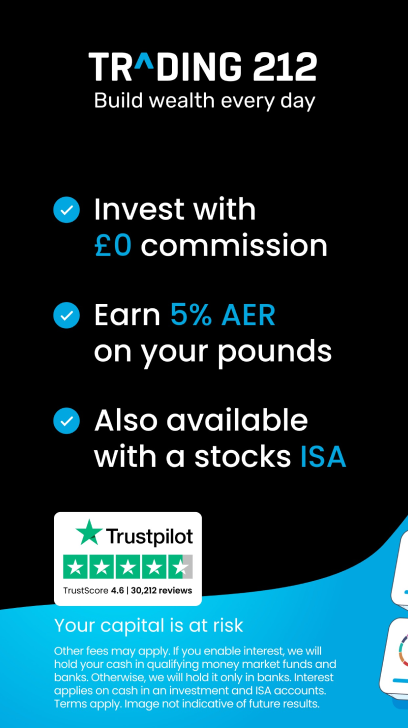
Screenshots play a pivotal role in app store listings, with the first screenshot being especially important for driving conversions. Many users decide to install an app based on the impact of the very first image they see. Only 30% of users remain on the app page after the first 3 seconds.

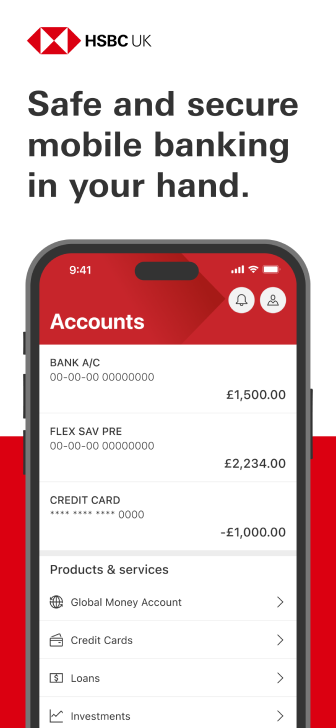
In this section, we break down the main trends for designing screenshots in the finance category.. For finance apps, emphasizing security through your screenshots is essential to establishing user trust.

Incorporating key selling points and trust signals — such as the number of downloads or security features — is an effective strategy to strengthen credibility.

Screenshot Trends Screenshot Trends Screenshot Trends

Source: the App Store & Google Play

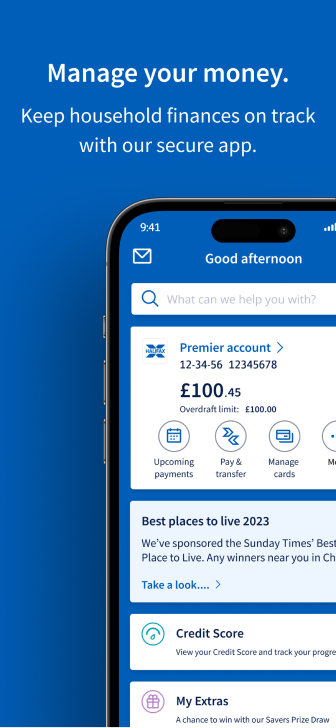
Blue is commonly associated with reliability, confidence, and stability. Using this color can help reinforce trust with potential users.
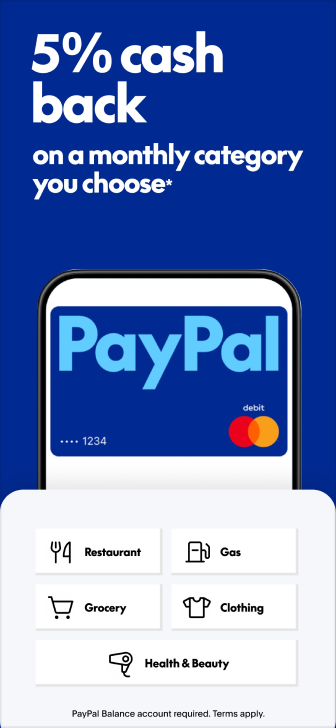
Screenshot Trends Screenshot Trends Screenshot Trends

Source: the App Store & Google Play

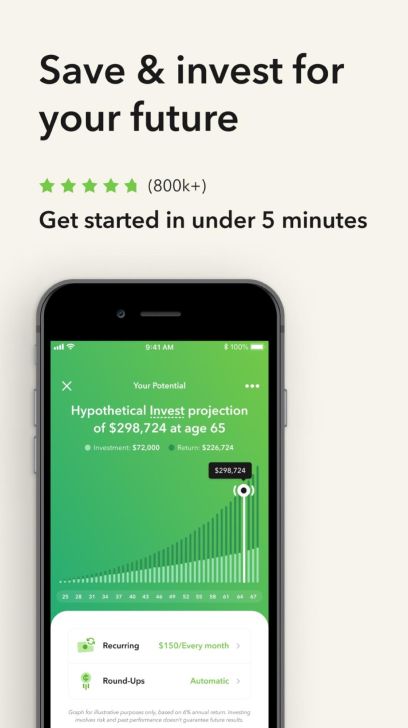
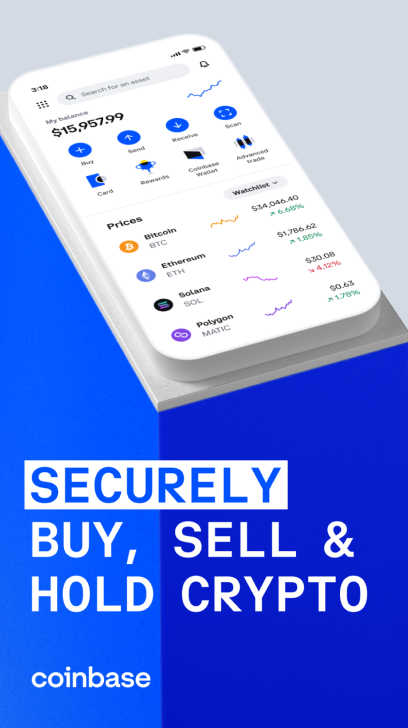
To build trust with potential users, showcase social proof on your first screenshot. This could include an app store rating, the number of downloads, or a mention in the media. Displaying this information prominently will maximize its impact.
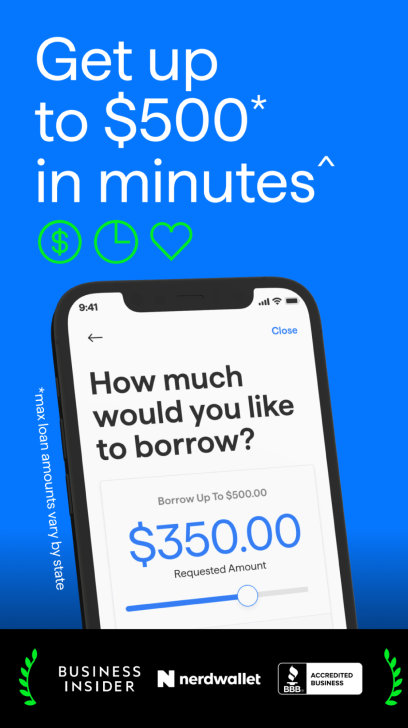

Screenshot Trends Screenshot Trends Screenshot Trends

Source: the App Store & Google Play

Given the high level of competition in the finance category, using vibrant colors can help your app stand out. Just be sure to balance this with enough contrast to ensure screenshots are easy to read.
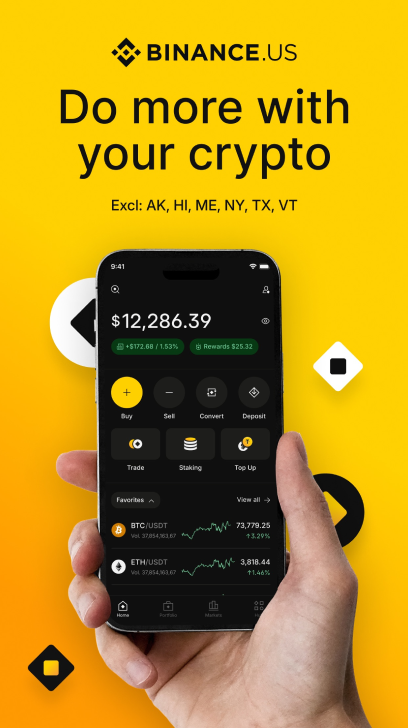
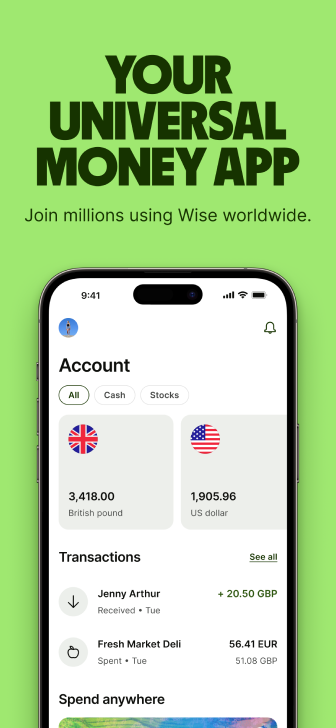
Screenshot Trends Screenshot Trends Screenshot Trends

Source: the App Store & Google Play

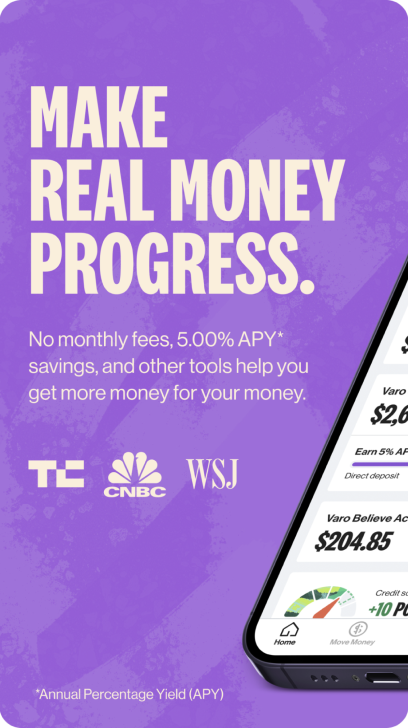
Many finance apps are adopting gradients. They can give your screenshots a modern, sleek look, making the interface more visually appealing and helping key elements stand out.
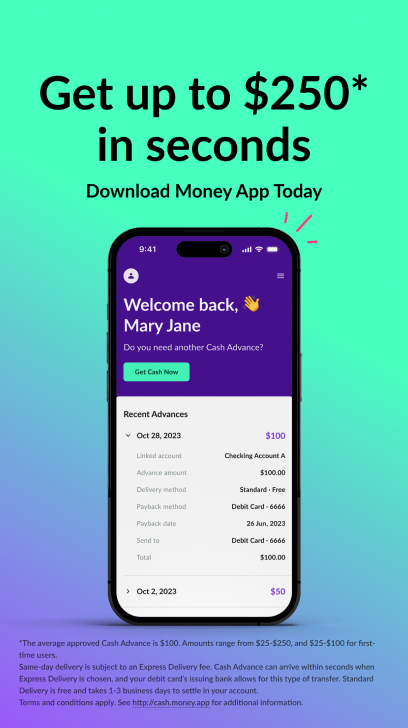
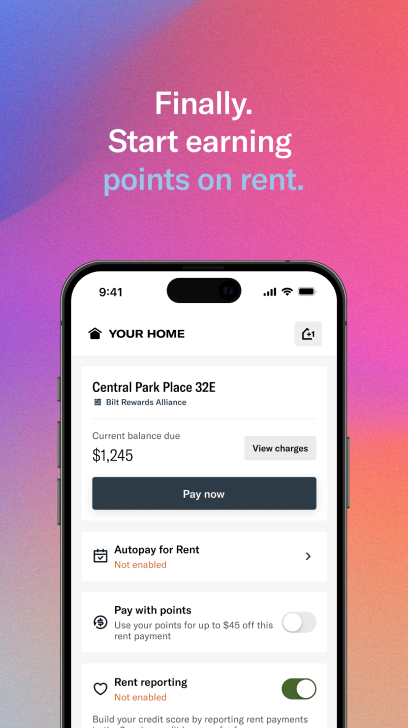
Screenshot Trends Screenshot Trends Screenshot Trends

Source: the App Store & Google Play

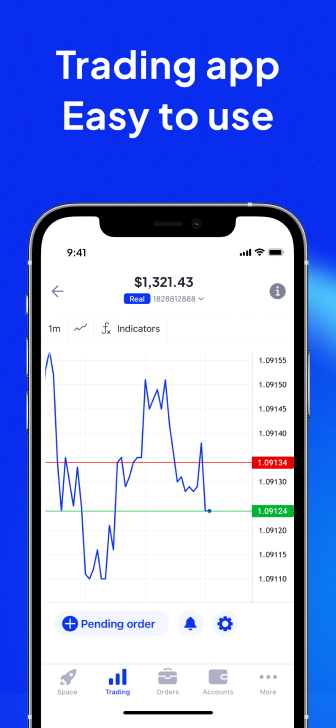
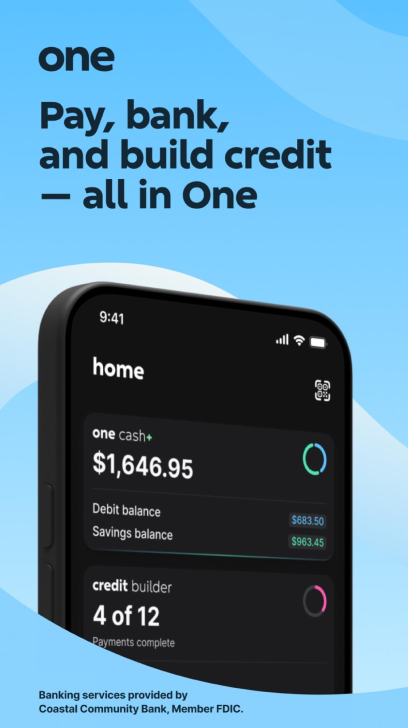
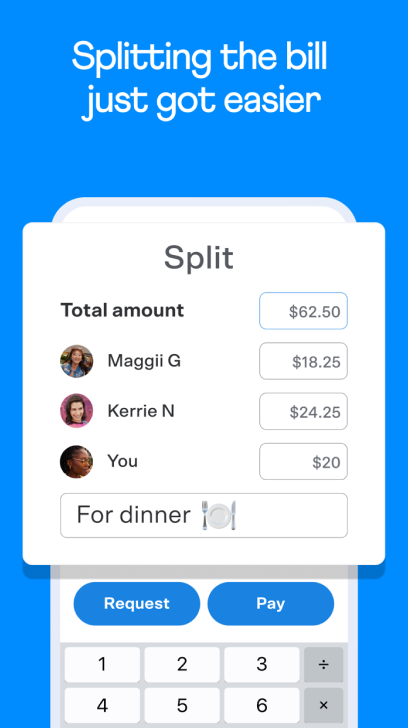
Your screenshots should clearly illustrate how your app streamlines investing, payments, and tracking. Show how your app simplifies financial tasks, reassuring users that it will make their lives easier.
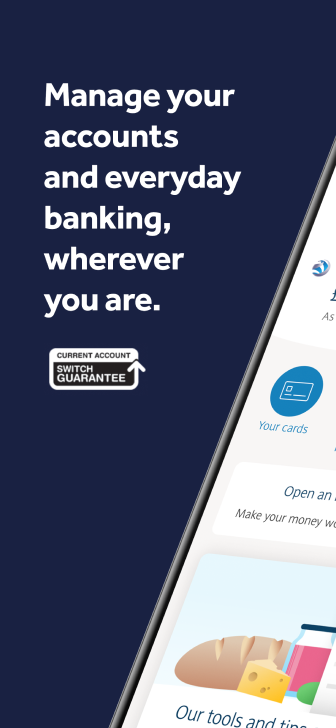
Screenshot Trends Screenshot Trends Screenshot Trends

Source: the App Store & Google Play

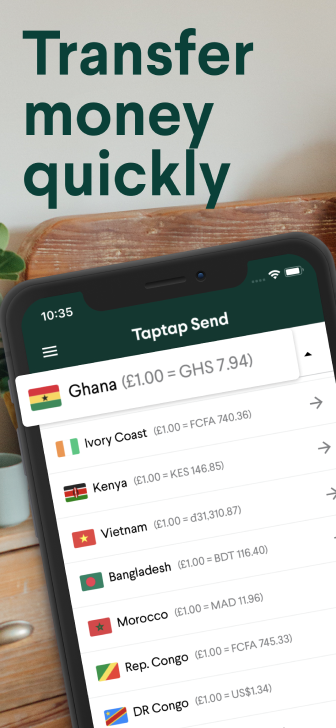
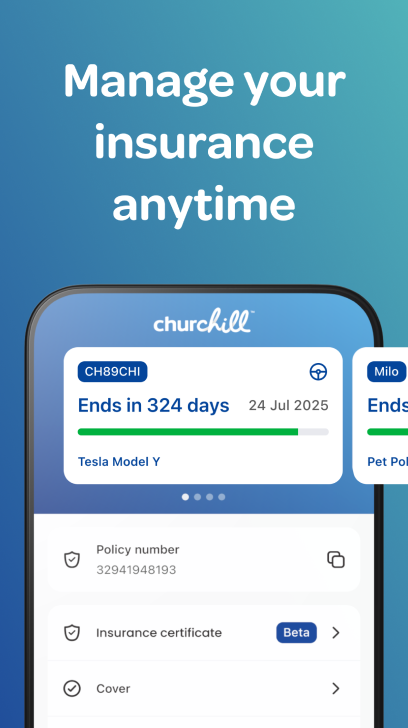
Finance apps can be complex, and captions make it easier for users to understand key features right away. Position captions so they’re visible but don’t cover important parts of the screenshot. Use clear fonts and colors that stand out.
Screenshot Trends Screenshot Trends Screenshot Trends

Source: the App Store & Google Play

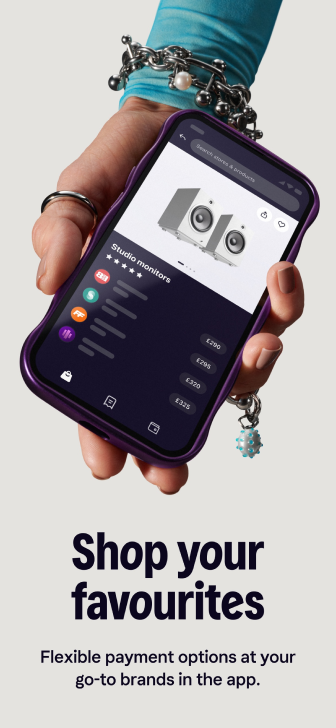
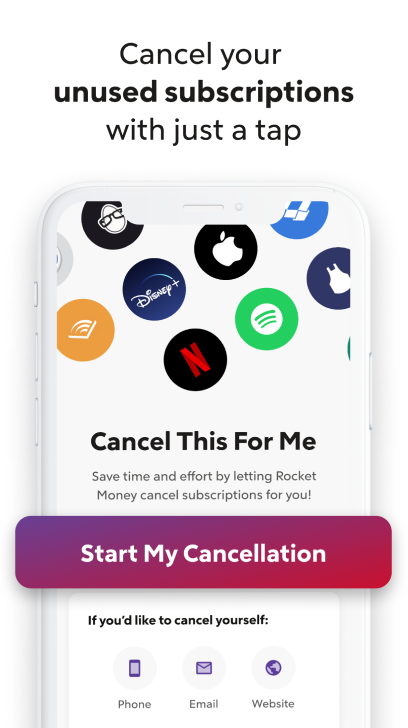
After highlighting your core value proposition, use additional screenshots to showcase extra features. For instance, demonstrate how users can locate unused app subscriptions to avoid overpaying.
Screenshot Trends Screenshot Trends Screenshot Trends

Source: the App Store & Google Play

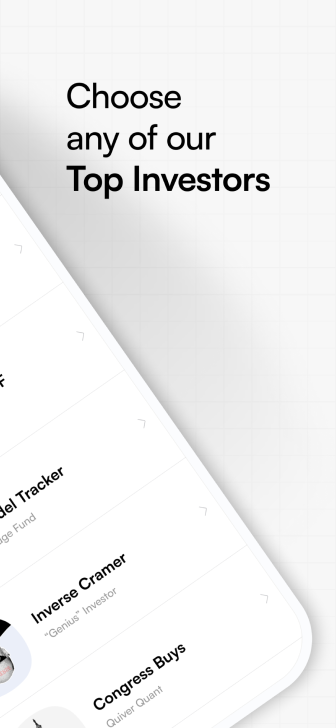
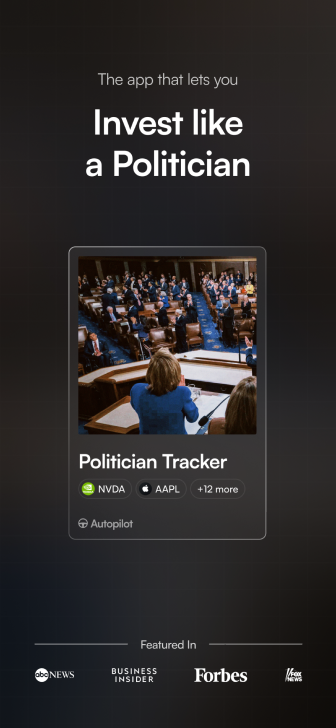
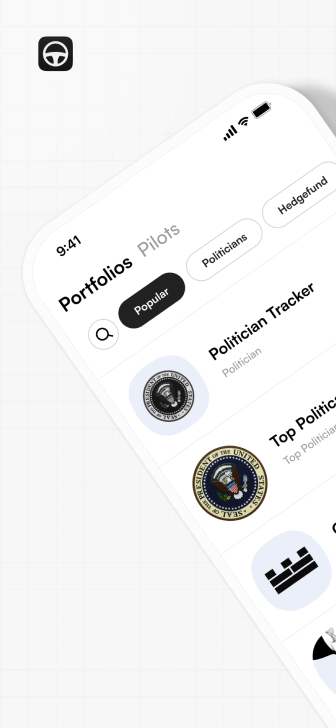
Split screenshots, where a single screenshot is “split” or “sliced” into two images, are still popular on the App Store and Google Play. This effect adds intrigue to the app’s page and may guide users to look at the rest of the screenshot pack.  

However, this type of screenshots may also distract users and drive them away from exploring the app. We recommend using a single, clear screenshot in the first position that highlights the app’s value, includes social proof, and presents a strong CTA. Reserve the split screenshot for the second or third position to showcase features in an engaging and visually appealing way, once the user is already intrigued by the app’s primary purpose.
Screenshot Trends Screenshot Trends Screenshot Trends

Source: the App Store & Google Play

By placing split screenshots strategically and ensuring they complement — not detract from — the overall message, they can enhance the app’s appeal without undermining its clarity or conversion potential.

Validated Apps Perform Better on App Stores
SplitMetrics Optimize lets you test them before they even launch
Booka a Demo
Screenshot Trends

Icon Trends Video Preview Trends
SplitMetrics
Products
  • SplitMetrics Acquire
  • SplitMetrics Optimize
  • SplitMetrics AI
  • App Radar by SplitMetrics
  • SplitMetrics Agency
  • Case Studies
  • Request a Demo
Solutions
  • SplitMetrics for Gaming
  • SplitMetrics for Real-Money Gaming
  • SplitMetrics for Finance
Services
  • App Store Optimization
  • Apple Ads Management
  • Ultimate App Growth Suite
  • Custom Product Pages Turnkey
  • Multichannel Ad Service
  • Design Studio
Reports and Benchmarks
  • Interactive Benchmark Dashboard
  • Product Page Benchmarks Report
  • Apple Ads Report
  • State of AI in Mobile Marketing
  • Finance Apps Benchmarks
Resources
  • Apple Ads Guide
  • Keyword Popularity Checker
  • Glossary
Company
  • About Us
  • Contacts
  • Pricing
  • Careers
  • Partners
  • Security
Apple Ads Partner
  • Terms
  • Privacy
  • GDPR
  • CCPA
Copyright © 2026 SplitMetrics