


Apple announced on its official developer blog that the company updated iTunes Connect with expanded App Analytics. All developer accounts were broadened with additional information on where an app was found by a user by adding App Store Sources and Referrers.
The end of April was marked by a pleasant surprise from Apple.
A long-awaited announcement was made: Search ads country list was expanded at last. With the latest update Australia, New Zealand, and the United Kingdom joined the United States as Apple Search ads storefronts. It wasn’t the only good news for Search Ads managers all over the world, Apple introduced new tools which assist with controlling dynamic search ads.
The word ASO (short for App Store Optimization) is sure to come up whenever people talk about mobile apps. With the enormous competition on the app stores, ASO has become an activity you can no longer afford not to do. Achieving sustainable growth is very hard unless your app page is properly optimized.
The topic of ASO is pretty well covered on the interwebz, with plenty of blogs and discussion groups sharing solid info, but who’s got the time to go through it all, and make sure you got everything covered…
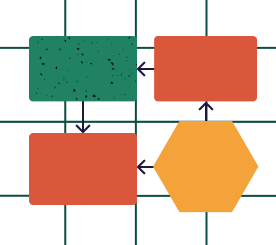
With this in mind we at Splitmetrics have developed what we humbly believe to be the World’s Most Ultimatest App Store Optimization Checklist. It’s an easy-to-follow flowchart that will help you:
Learn App Store Optimization essentials and advanced tricks
Find out how to improve your app’s conversion rates
See how you can boost organic search traffic
Detect and eliminate bottlenecks that are hindering you app’s growth
Run comprehensive ASO audits like a pro
The checklist is a bit biased towards iOS and Apple App Store but most of the advice is also applicable for and Android apps on Google Play. Get your free copy now and see if your apps are up to scratch!
This is a guest post by Galina Divakova, the CMO at Clickky, a full stack marketing platform for mobile publishers and advertisers. She is an experienced mobile marketing manager with great passion for all the things tech. Galina is always in search for new trends and solutions that might bring new opportunities in the rapidly evolving mobile industry.
If you are preparing to release an app, you face a number of risks. The competition is extreme and it is very easy to get lost among the hundreds of other offers. Instead of leaving everything to chance, you can optimize your app in the best possible way with the user acquisition. Run a soft-launch campaign before the official release, attract users first, observe their behaviour, check the results and analyze them. In the end, your app will have much better chances to succeed…. Read more
App Store and Google Play don’t always agree on things, but this time they unanimously picked Prisma as the app of 2016. MSQRD was named runner up for best app of the year for iPhone and a top trending app of 2016 for Android.
What do Prisma and MSQRD have in common (apart from both being photo/video apps, obviously)? …They both used Splitmetrics to A/B test and optimize their store pages and improve conversion rates. Now of course we’re not saying that we’re the reason behind the immense success (because we’re too modest and humble :). But we’re happy and proud to have been part of these great stories and would like to share our chapter with you.
One of the questions we’ve been frequently asked is whether it’s worth using Apple device images on screenshots or not. The short answer is simple: if it applies to you and helps in your attempts to give a better idea of what your app has to offer, then do it. Actually, this approach should be applied to any significant change you are going to make, whether you are thinking of adding images of hands holding devices, grouping screenshots, or uploading plain, unedited screenshots, etc. Today’s case study from ZiMAD is a good example of where it helped, and along with other changes, resulted in a 15% conversion raise.
Although the app icon might be physically small, optimizing the icon will have a positive effect on each step of the user’s journey in the App Store, as it’s the only graphic asset that’s shown in the search results, on the product page, and on the category page. While 65% of App Store downloads come directly from searches, one of the best ways to find out how well your app icon stands out from the crowd is by testing your variations on the category page. This is because category pages are the only pages where you can minimize the impact of other factors (e.g. the impact of screenshots when testing icons in the search results) on your conversion rates. That’s what the developers from Darby did with their How To Videos app. The main objective of the experiment was to test two competing approaches: relying on trends and popular styles or creating an easy to understand icon.
Being a place where marketers come to increase the conversions of their app pages, we, more than others, realize the importance of uncovering the bottlenecks of your app page. That’s why we’ve developed a tool that helps you identify the potential problems of your app and indicate your points of growth.
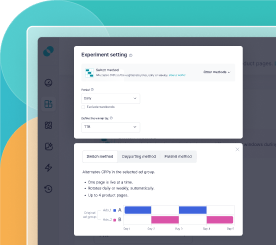
The most common problem our users encounter when setting up tests is where to get a sufficient number of users to ensure accurate test results. Up until now, you had only a single option — sending traffic from ad sources such as Facebook, AdWords, etc. Today, we proudly announce a new option — sending free website traffic via Smart Banners.
Mobile user onboarding is like flirting with a girl, or a boy. Everyone’s doing it, everyone *thinks* they know how it’s done, but in reality, a lot of potentially awesome experiences are lost because of poor practices.
Just as a lot of “cool” people start boring conversations with ‘You know how much a polar bear weighs?’ and get a cold stare back – a lot of developers with cool apps just throw in a hint system or a short tutorial and think to themselves ‘that oughta do it’.
It’s not gonna cut it- especially in today’s mobile-first world. User onboarding is a pivotal process in terms of determining the success of your app, yet a lot of developers make the following mistakes:… Read more