
G2 rating 4.9

AppsFlyer and SplitMetrics integration

See the entire user journey, from first tap to final purchase. Move beyond install tracking and optimize Apple Ads for real business outcomes like revenue, subscriptions, and deposits at the keyword level.

AppsFlyer and SplitMetrics integration

Connect AppsFlyer to SplitMetrics and start syncing Apple Ads post-install events within an hour.

Add your SplitMetrics Client ID in AppsFlyer to see performance from tap to revenue. Find out which keywords drive purchases, subscriptions, and deposits, then optimize for business outcomes instead of CPI.

How it works

Simple Setup. Full-Funnel Visibility.

01

Connect your account, no code required

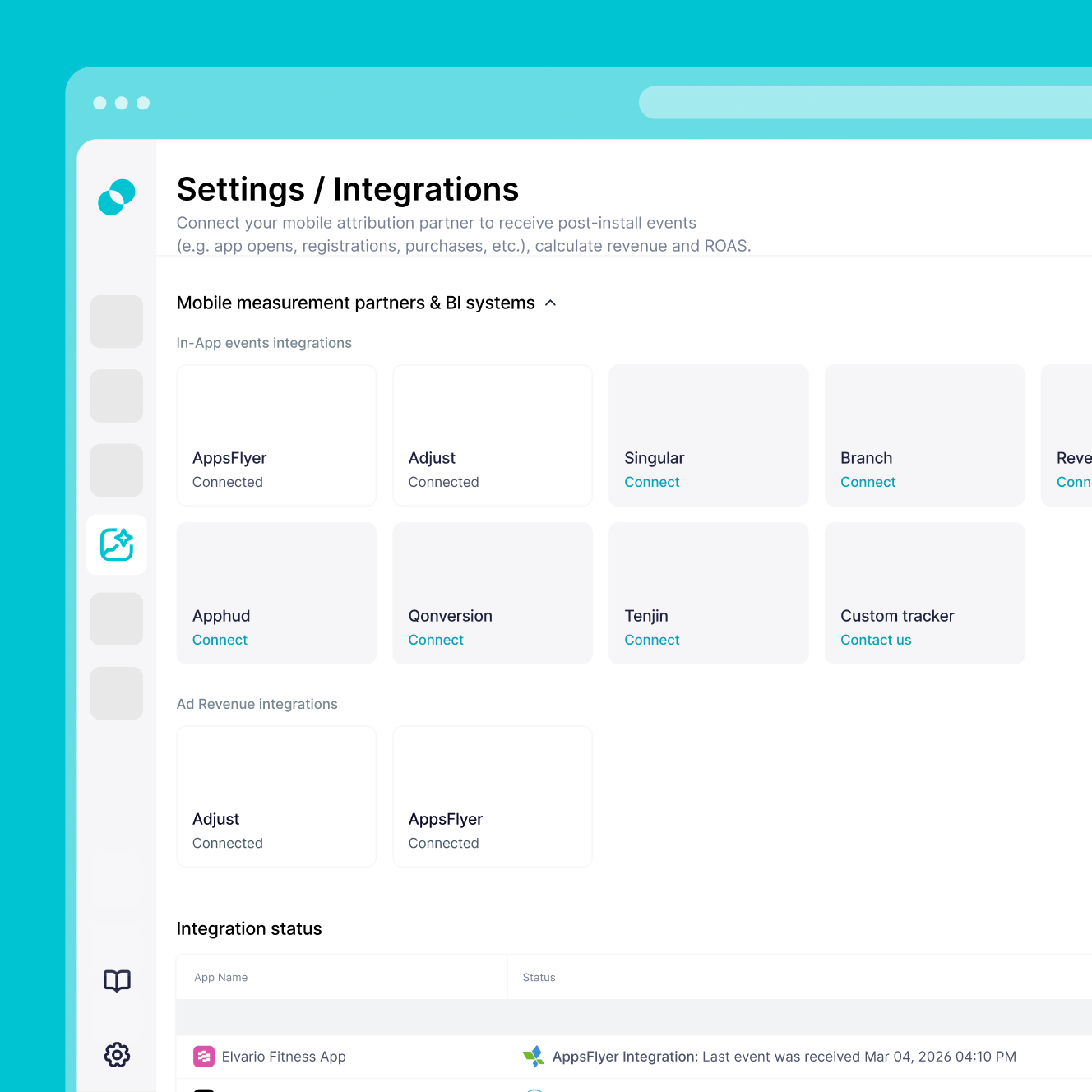
Log in to AppsFlyer and activate the SplitMetrics Acquire integration in the Partner Marketplace. Paste your SplitMetrics Client ID to create a secure, read-only connection. No developer support or SDK changes needed.
02

Sync the revenue events that matter

Enable In-App Event Postbacks in AppsFlyer and select the events you want to track (trials, purchases, first-time deposits). Choose Values & Revenue so your mobile measurement partner data flows into SplitMetrics at the keyword level.

03

Start using full-funnel data

Your data appears in SplitMetrics within an hour of setup. Optionally share up to 12 months of historical data with our team so AI Bid Optimization can scale based on revenue from day one.

Why AppsFlyer integration

You'll have immediate access to:

A complete view of marketing performance

As one of the most widely used mobile measurement partners (MMP), AppsFlyer brings attribution, deep linking, data collaboration, and AI into one unified view of LTV across the customer journey.

The data points that drive revenue decisions

Track install attribution, in-app events, keyword-level ROAS, retention, customer LTV, incrementality, creative performance, and fraud detection in one place.

Tools to optimize UA, retention, and creative

Scale winning campaigns with trusted ROAS data, identify your highest-value users, and use AI to break down which creative elements actually drive conversions.

Measurement built for every major app vertical

AppsFlyer powers over 15,000 businesses across Gaming, Finance, eCommerce, Media & Entertainment, Travel, Health & Fitness, and subscription apps.

Secure Setup. Fast Start. No Code Required.

Getting started

Secure Setup. Fast Start. No Code Required.

Here's what you need to get the integration live quickly, safely, and without developer support.

Active Apple Ads account with at least one active or paused campaign.

SplitMetrics Client ID from your Acquire dashboard, pasted into the AppsFlyer Partner Marketplace settings.

AppsFlyer account access to Collaborate > Partner Marketplace to activate the integration.

Defined conversion events ready for tracking (Trial Start, First-Time Deposit, Purchase).

Read-only access is all SplitMetrics needs, so your existing tracking setup, SDKs, and other integrations stay untouched.

Frequently
asked questions

Do I need AppsFlyer to use SplitMetrics?
No, you don't. You can use SplitMetrics with native Apple Ads data alone, or connect your internal BI system instead. But if you want the full value of revenue-based optimization, connecting a mobile measurement partner (MMP) like AppsFlyer is the strongest setup.
Will connecting SplitMetrics disrupt my current tracking setup?
No, it won't. SplitMetrics uses a read-only connection that runs passively in the background. It doesn't interfere with your AppsFlyer configuration, SDKs, or other integrations.
How long does the integration take, and do I need a developer?
Setup is no-code and typically takes 10 to 30 minutes. It only requires a copy-paste of your Client ID or API key. No developer support or SDK implementation needed.
Will I lose historical performance data if I switch to SplitMetrics?
No. You can upload 30 to 90 days of historical AppsFlyer data by CSV during onboarding. This gives our AI the context it needs to start optimizing from day one instead of starting from zero.
What if I use a custom tracker or my own BI system?
That works too. SplitMetrics supports custom and BI integrations for almost any data source. If your system can export to an S3 bucket or CSV file, our team can connect it for full-funnel visibility.
How do I activate the SplitMetrics Acquire integration in AppsFlyer?
Log in to AppsFlyer, go to Collaborate > Partner Marketplace, search for SplitMetrics Acquire | Formerly SearchAdsHQ, and toggle Activate Partner on.
What IDs do I need to connect the accounts?
You'll need your Apple Ads Campaign Group ID and your SplitMetrics Client ID. Both go into the General Settings section of the AppsFlyer partner page.
Can I track revenue and optimize for ROAS with this integration?
Yes, you can. When setting up In-App Event Postbacks, select Values & revenue for the events you want to track. That gives SplitMetrics the financial data needed to calculate ROAS at the keyword level.
Does this integration support view-through attribution?
Yes, it does. Enable Install view-through attribution in your AppsFlyer Apple Ads settings with a 24-hour lookback window. Installs are then credited when someone sees an ad but doesn't tap it.
Can I import historical AppsFlyer performance data?
Yes, you can. Share up to 12 months of historical AppsFlyer data with our team. Historical data is usually integrated within 1 to 3 days.