G2 rating 4.9

Singular and SplitMetrics integration

Connect Singular data with SplitMetrics to cut underperforming keywords and invest more in the ones that bring in high-LTV users. Optimize spend around purchases, subscriptions, and other high-value events at the keyword level, without manual CSV uploads.

Singular and SplitMetrics integration

Connect Singular to SplitMetrics and sync attribution postbacks within an hour.

Skip the manual reporting and close the gaps caused by fragmented data. See which keywords drive revenue-generating events and scale Apple Ads based on real ROAS.

How it works

Simple Setup. Full-Funnel Visibility.

01

Connect SplitMetrics in Singular

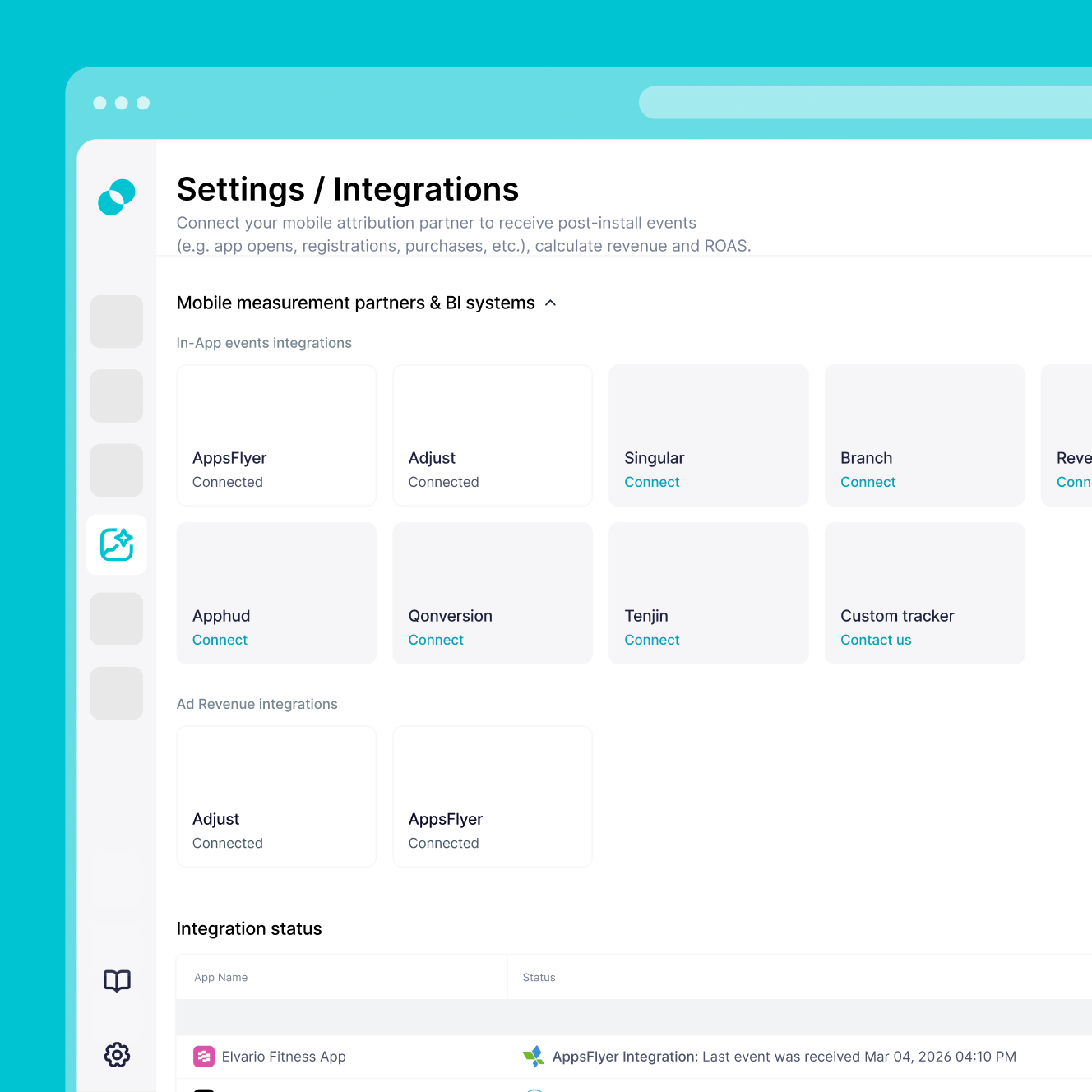
Log in to Singular, go to the Attribution tab, and open Partner Configuration. Add SplitMetrics Acquire and enter your Client ID. The setup uses postback forwarding, so no developer work is required.

02

Set up revenue and attribution postbacks

Set attribution windows to 30 days for deterministic clicks, then enable Install and Re-engagement postbacks. Manually select your revenue events with Include Revenue enabled, so the mobile measurement partner data flows directly into SplitMetrics for keyword-level ROAS tracking.

03

Start optimizing with deeper context

Your data appears in SplitMetrics within an hour of a successful sync. Optionally upload up to 12 months of historical Singular data so AI Bid Optimization can scale based on actual revenue from day one.

Why Singular integration

You'll have immediate access to:

Unified marketing intelligence in one source

As a mobile measurement partner (MMP), Singular combines spend, attribution, ROI, and performance from thousands of channels, with cross-device tracking and the most SKAdNetwork conversion models of any MMP.

Granular data at every funnel level

Track installs, re-engagements, in-app events, keyword-level ROAS, creative performance, LTV, retention, and fraud signals, unified automatically with no manual reconciliation.

From insight to action, no engineering

Creative IQ surfaces which creative patterns drive the highest ROI, and pre-attribution fraud rejection protects budgets before they're wasted.

Trusted by leading global brands

Singular powers Nike, Airbnb, LinkedIn, and Rovio across Gaming, Finance, E-commerce, Travel, Food & Delivery, and Enterprise, where complex multi-channel measurement and fraud protection matter most.
Simple Setup. Clear Requirements. No Code.

Getting started

Simple Setup. Clear Requirements. No Code.

Set up a secure, postback-based connection between Singular and SplitMetrics with the requirements below. The setup is marketer-led and requires no extra coding once your SDK is live.

Active Apple Ads account with at least one active or paused campaign to start receiving data.

Singular SDK and Apple Ads setup – your SDK must be live in the app and your Apple Ads integration configured in Singular before setup begins.

SplitMetrics Client ID from your Acquire dashboard, pasted into the Singular Partner Configuration window.

Defined revenue and event strategy – a clear list of in-app events you want to track (Trial, Purchase), with Include Revenue selected for events tied to financial outcomes.

Passive read-only connection – the integration works through postback forwarding, so it won’t disrupt your existing attribution logic, SDKs, or current tracking setup.

Frequently
asked questions

Do I need Singular to use SplitMetrics Acquire?
No, you don't. You can use SplitMetrics Acquire with native Apple Ads data alone, or connect your internal BI system instead. But for full-funnel optimization with revenue and ROAS tracked at the keyword level, connecting a mobile measurement partner (MMP) like Singular is the strongest setup.
Will connecting SplitMetrics disrupt my current Singular tracking?
No, it won't. SplitMetrics uses a secure, postback-based connection that runs passively in the background. It doesn't interfere with your Singular setup, SDKs, or other integrations.
How do I activate the SplitMetrics Acquire integration in Singular?
Log in to Singular, go to the Attribution tab, and open Partner Configuration. Click Add a Partner, search for SplitMetrics Acquire, and enter your SplitMetrics Client ID in the configuration window.
Can I track revenue and optimize for ROAS with this integration?
Yes, you can. In the In-app Events Postback tab, manually select your revenue events and enable Include Revenue. That gives SplitMetrics the financial data needed to calculate ROAS at the keyword level.
Does this integration support view-through attribution?
Yes, it does. In Partner Configuration, select the checkboxes in the Send View Through column. Set your View-Through Deterministic window to 24 hours in your Apple Ads settings in Singular.
Why don’t I see my Singular events in the SplitMetrics dashboard right away?
After finishing the setup in Singular, you also need to create Custom Conversions in SplitMetrics Acquire for those events. Data only starts showing once those Custom Conversions match your Singular event names.
Are there specific attribution settings I should use for accurate data?
Yes, there are. For the most accurate reporting, set Click-Through Deterministic to 30 days and Click-Through Probabilistic to 0 days.
How long does the integration take, and how quickly will data show up?
Setup is no-code and usually takes 10 to 30 minutes. Once connected, new events and attribution data typically appear in your SplitMetrics dashboard within an hour.
Can I import historical Singular performance data?
Yes, you can. Share up to 12 months of historical data exported from Singular with our integration team. The process usually takes 1 to 3 days and gives AI the performance baseline it needs to optimize from day one.