
G2 rating 4.9

Tenjin and SplitMetrics integration

Get immediate visibility into post-install performance through a pre-configured partner integration. Cut the manual work and optimize Apple Ads around real revenue events at the keyword level.

Tenjin and SplitMetrics integration

Sync post-install events from the Tenjin Apps tab to see which Apple Ads keywords drive revenue.

Connect Tenjin to SplitMetrics and send real-time callbacks straight to your dashboard. Scale based on the events that grow the business.

How it works

A pre-configured path to real-time performance data

01

Activate the pre-configured callback

Log in to Tenjin, go to the Apps tab, and select the app you want to connect. Click New Callback and filter by Partners to find the pre-configured SplitMetrics Acquire callback. Plug-and-play, no engineering required.
02

Connect with your Organization ID

Follow the setup instructions on the right side of the Tenjin interface and enter your SplitMetrics Organization ID (Client ID). Click Save and Tenjin starts sending real-time mobile measurement partner data directly to your dashboard.

03

Start optimizing with down-funnel data

Create Custom Conversions in SplitMetrics Acquire for the events you want to track. Optionally share up to 12 months of historical Tenjin data with our team so AI Bid Optimization can scale based on real revenue events from day one.

Why Tenjin integration

You'll have immediate access to:

Unified performance data without enterprise cost

Tenjin is a mobile measurement partner (MMP) that combines attribution, cost aggregation, LTV, and revenue from 1,500+ partner integrations, starting at $200/month with a free plan up to 2,000 conversions.

Signals that drive smarter UA decisions

Track ROAS, CPI, ad spend by channel and creative, cohort LTV across IAP, subscriptions and ad revenue, plus predictive LTV from Day-0 with over 90% accuracy.

MMP tools built for speed

Set up new channels in minutes, query attribution and spend data via Tenjin's MCP Server, block SDK spoofing before it hits your data, and use Site ID-level optimization for UA quality control.

Built for gaming studios and growing app teams

Tenjin serves 35,000+ apps across mobile gaming, consumer, subscription, and utility categories, giving indie studios and scaling teams enterprise-grade infrastructure without the enterprise price tag.

What you need to connect Tenjin

Getting started

What you need to connect Tenjin

Set up a secure, real-time data connection between Tenjin and SplitMetrics with the requirements below. The setup is marketer-led and uses Tenjin's pre-configured callback system.

Active Apple Ads account with at least one active or paused campaign, so post-install data can be mapped back to your search terms.

Active Tenjin app profile – your app must be added to the Tenjin dashboard and actively sending event data to the platform.

SplitMetrics Organization ID – your unique Client ID, listed as the Organization ID in Tenjin, used to authenticate the real-time callback.

Defined event mapping – a clear list of the in-app events you want to send from Tenjin to SplitMetrics for accurate performance tracking.

Custom Conversion setup – once the connection is saved in Tenjin, create matching Custom Conversions in SplitMetrics to display the data in your dashboard.

Frequently
asked questions

Do I need Tenjin to use SplitMetrics Acquire?
No, you don't. You can use SplitMetrics Acquire with native Apple Ads data alone. But for full-funnel optimization with revenue and ROAS tracked at the keyword level, connecting a mobile measurement partner (MMP) like Tenjin is strongly recommended.
Will connecting SplitMetrics disrupt my current Tenjin tracking?
No, it won't. The integration uses a secure, real-time callback that runs passively in the background. It doesn't interfere with your Tenjin setup, SDKs, or other integrations.
How do I activate the SplitMetrics Acquire integration in Tenjin?
In your Tenjin dashboard, go to the Apps tab, select your app, and click New Callback. Filter by Partners, choose the SearchAdsHQ (SplitMetrics Acquire) callback, and enter your Organization ID to connect the two platforms.
What is the “Organization ID” in Tenjin?
It's your SplitMetrics Acquire Client ID. Find it in your SplitMetrics account settings, then paste it into the Organization ID field in Tenjin to authorize the data flow.
Why don’t I see my Tenjin events in SplitMetrics right away?
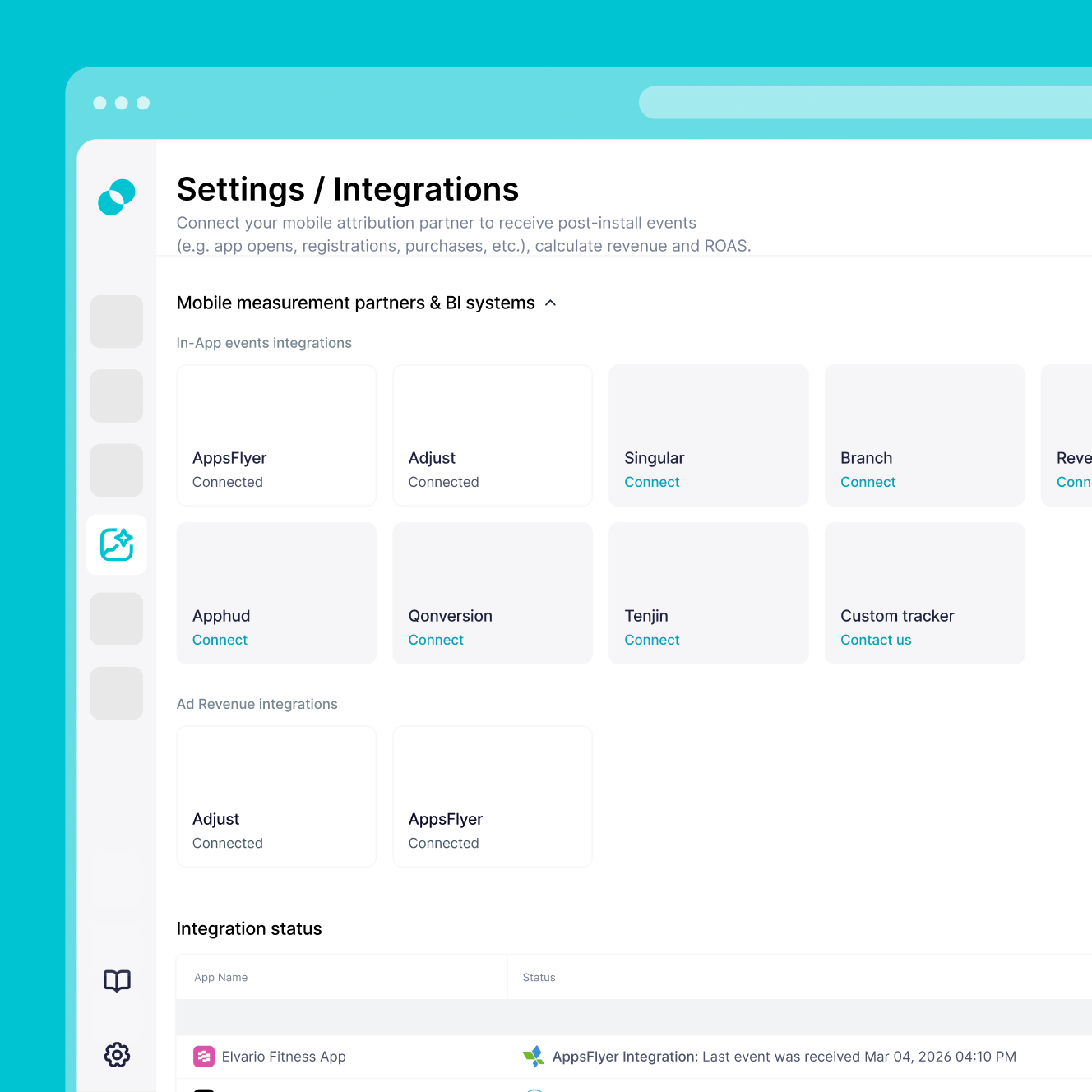
After setting up the callback in Tenjin, you also need to create Custom Conversions in SplitMetrics Acquire for the events you want to track. You can find unmapped in-app events under Settings > Integrations in the Integrations popup.
Do I need to set up the integration separately for each app?
Yes, you do. Repeat the callback setup for each individual app you want to connect between Tenjin and SplitMetrics.
How long does the integration take, and how quickly will data appear?
Setup is no-code and usually takes 10 to 15 minutes. Once live, real-time callbacks start sending event data to your SplitMetrics dashboard shortly after each event happens.
Can I import historical Tenjin performance data?
Yes, you can. Share up to 12 months of historical Tenjin data with our integration team. The process usually takes 1 to 3 days and gives AI the performance baseline it needs to start optimizing from day one.