


Introducing Goals: when everything in your account runs to hit a north star target
 Liz Skrobat

Learn
Introducing Goals: when everything in your account runs to hit a north star target

Black Friday Playbook on Apple Ads Strategy: Defend Your Brand & Capture Demand
Technology
Growth Services
Our AI & Data
Liz Skrobat

Every growing Apple Ads account hits the same point: one storefront becomes five, one campaign type becomes several, and the team running them starts thinking in performance targets. A CPI moves the needle here, a ROAS is what we care about there, a CPA is the number that matters for one particular market. Any UA manager running Apple Ads at this scale already carries that map in their head, usually backed by a planning sheet that keeps it straight.
Today we’re introducing Goals — a way to bring that same target-setting thinking directly into the platform, right alongside the strategies, campaigns, and reporting that already live there.
The idea is simple: set your target once and everything that touches your spend will work toward the same objective.
A Goal holds three things: the metric you’re optimizing toward, the target value for it and where in your account it applies. Assign it to campaigns that share the same target across an app, a storefront or ad placement, and they will all work to hit the same number. Once it’s set, it becomes the north star every connected tool in SplitMetrics Acquire reads from.
In practice, it looks like this: set a ROAS target for your US storefront and assign it to every campaign there in one go. If one high-spend campaign needs a tighter number, give it its own Goal instead. Launch a new campaign next quarter and it picks up the same Goal at creation, so it’s optimizing toward the right target from day one.
Most teams running Apple Ads at this scale already have their targets mapped out somewhere, often a planning sheet with a target per app, storefront, campaign type. Goals is built to take that structure as-is: download the goal template, fill it in from what you already track and upload it. SplitMetrics Acquire checks everything before it goes live and creates or updates your Goals in bulk, so the sheet you already trust becomes the source everything in your account optimizes from.
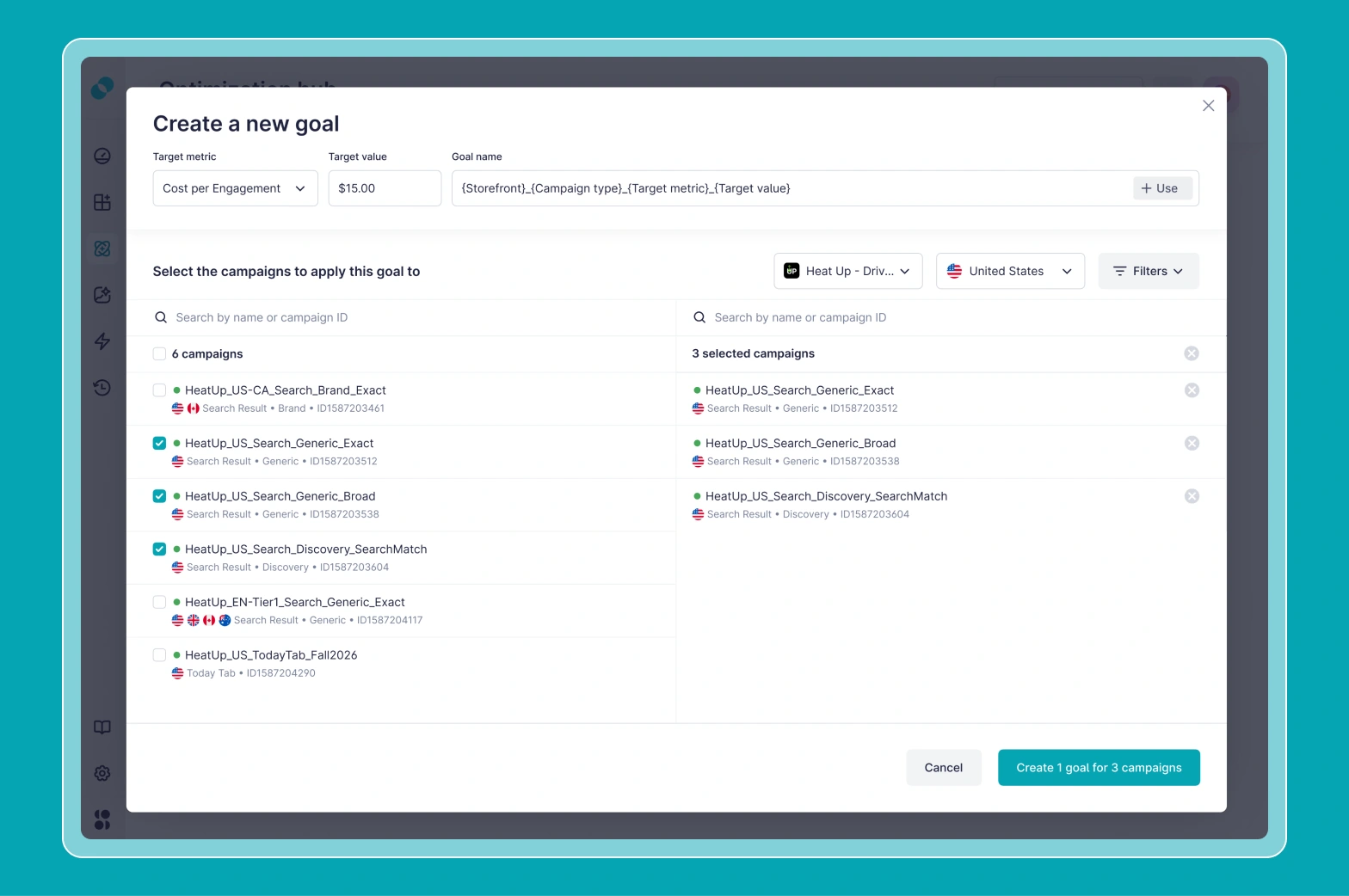
Most target-setting features live inside a single campaign or a single rule. Goals live across your account structure, so every layer inside it — AI-powered bid optimization strategies and automation rules — becomes an expression of one declared objective instead of dozens of individual ones. You tell the platform what the account is trying to achieve, as a North Star, and every connected capability builds from that.
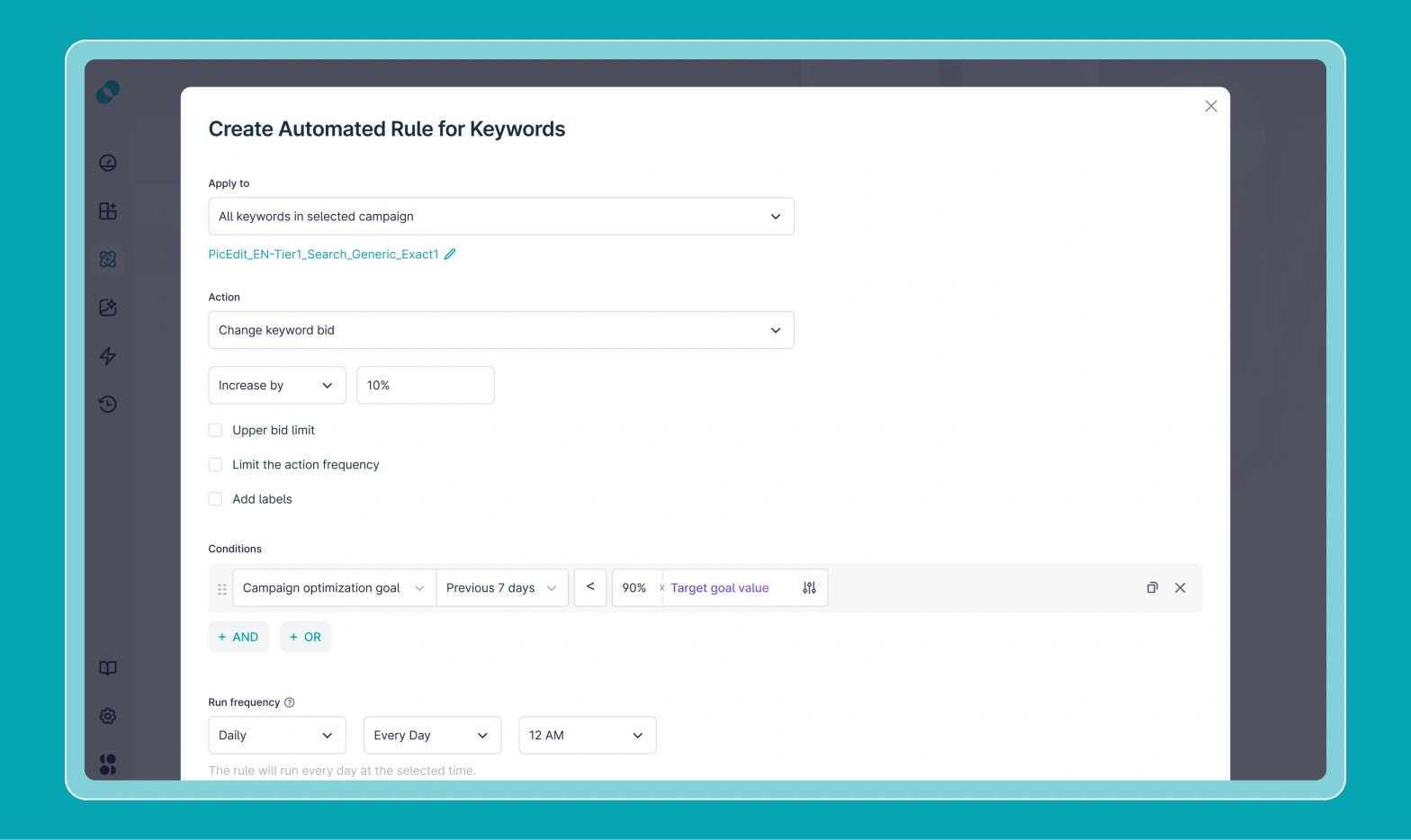
Point a rule at a Goal, and it reads the target directly from there. A single Goal can back any number of rules. Change the target once, and every rule pointed at that Goal works from the new number on its next run.
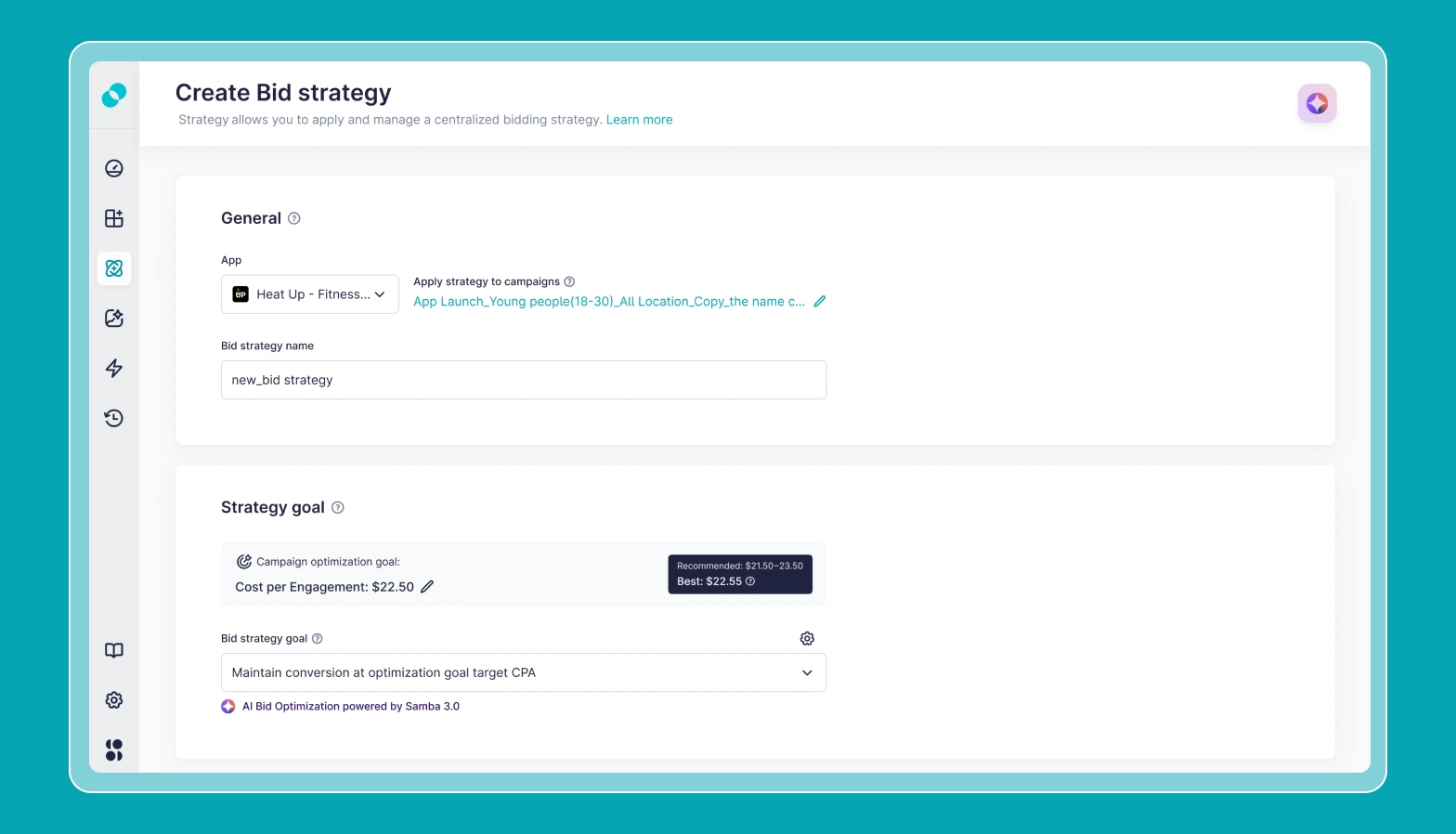
Set up a strategy without an existing Goal, and SplitMetrics Acquire creates one from the target you give it. The connection runs both ways from there: change the Goal and the strategy’s optimization target updates with it, or adjust the target inside the strategy and the Goal reflects it. Either way, you’re not auditing strategies one by one to confirm what each is still chasing.
Create a new campaign, choose a Goal from your existing targets, and the campaign is covered by that target from day one.
Setting a target inside a single rule or strategy is still there if that’s all you need. Goals are for when you want one number to cover more than one place.
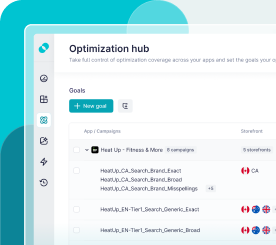
Once your Goals are set, Optimization Hub is one place to track all targets across your apps and markets, and how well they’re achieved. This is also where you update the Goals once they change, and every campaign connected to them inherits this target automatically.
For teams handing more of their spend to automation, this is how you stay on top of things. In one view, you see your targets across the whole portfolio at once, check which number each strategy is working to hit, and confirm the Goal hasn’t quietly drifted.
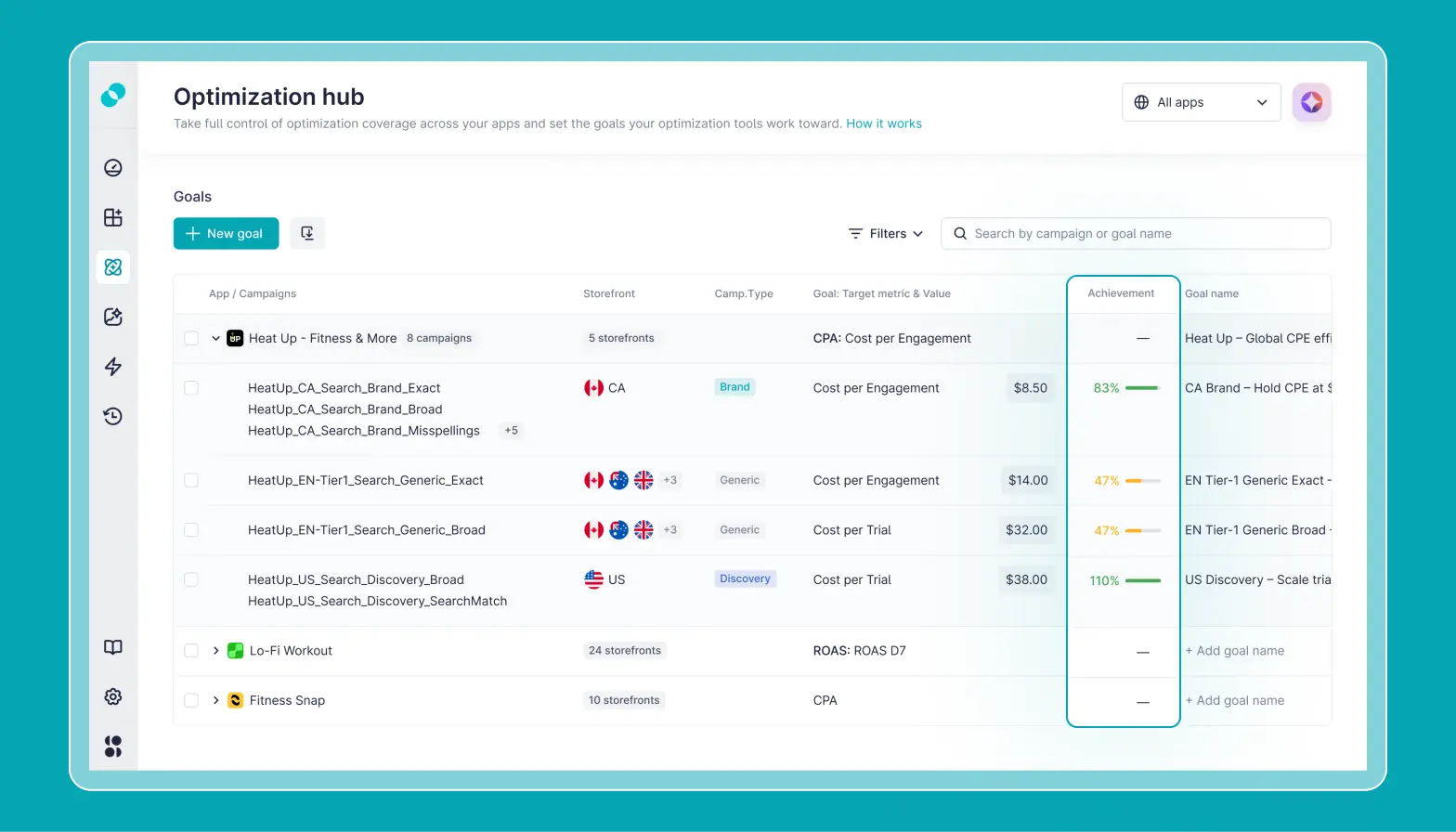
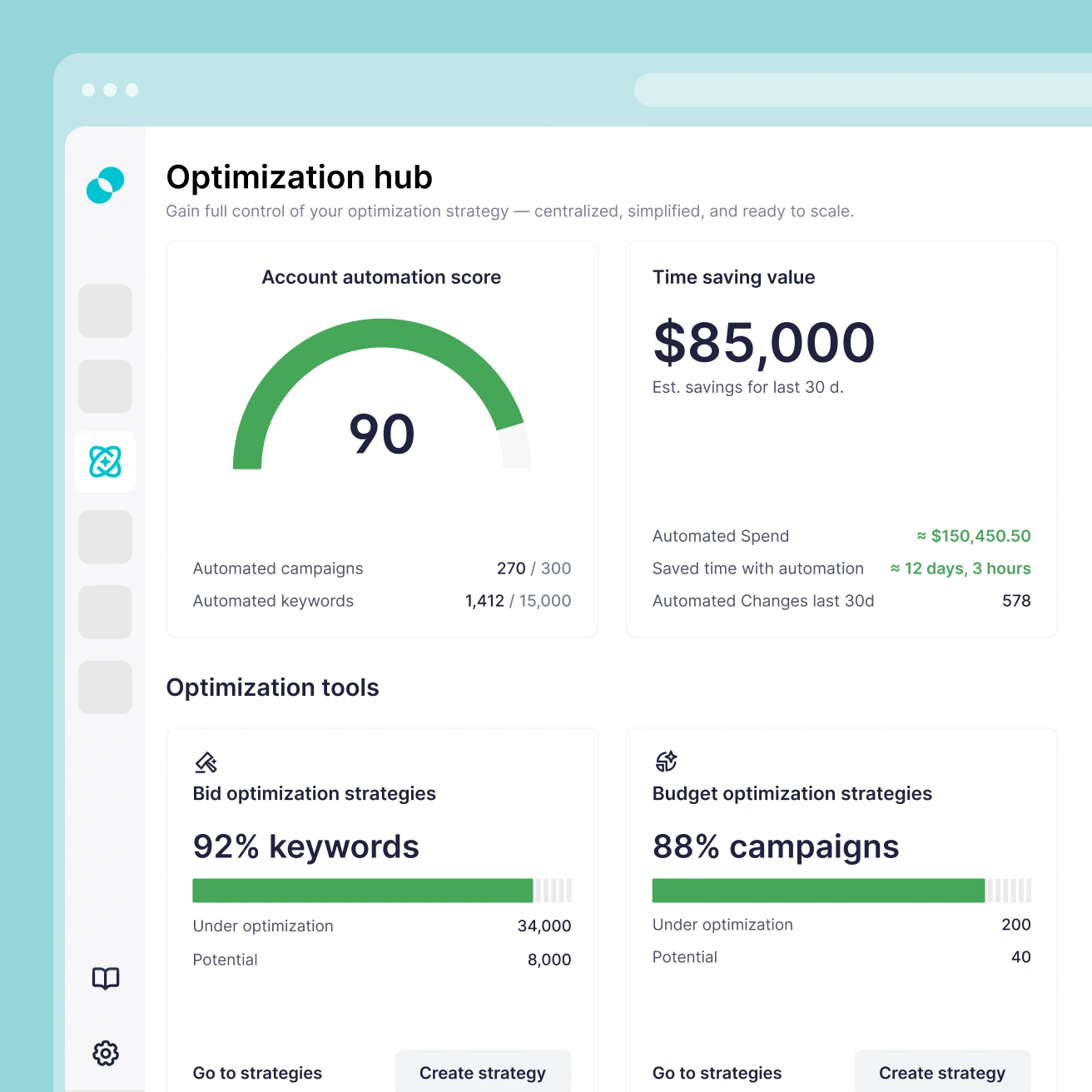
Optimization Hub is a command center for automation and optimization tools running in your SplitMetrics Acquire account. This is where you see how much of your account is covered by automations, how they impact your performance and where there’s potential to optimize further.
Every capability we build into SplitMetrics Acquire points at the same outcome: spend that does more. A Goal doesn’t optimize anything by itself. It’s the number everything else works from, so a strategy, a rule and, soon, reports and Iris recommendations, all pull in the same direction. That’s the shift underway across the platform: less time reconciling targets across tools, more of every dollar landing exactly where it should.
If you manage Apple Ads across more than one app, storefront, or campaign type, reach out for a walkthrough of how target-based optimization works across an entire account rather than one campaign at a time.