Apple Ads — 8 Oct 2026
Apple Ads keyword management: How to discover, organize, and optimize keywords at scale
 Ivan Žgela
 Ivan Žgela

The process of managing keywords in Apple Ads requires constantly identifying, organising and improving the keywords that your search results campaigns bid on. Keywords are the primary means of targeting in Apple Ads search results campaigns, since each search results campaign you run will either make bids on keywords, block them, or come across new ones. With regard to other types of placement, such as the Today tab, keyword targeting is not used.
Managing keywords usually consists of four related tasks:
The volume of work involved in managing keywords for Apple Ads can be challenging when done manually. It can take 6 to 7 minutes to review each keyword in detail, so a single account with 500 keywords could need 2 to 3 hours for a full review.
Without automation, a UA manager could review only the top 10% of keywords by spend, leaving the rest unexamined between passes. The article covers the full keyword lifecycle based on SplitMetrics team experience during 10+ years working with Apple Ads and explains how SplitMetrics Acquire automates each stage at scale.
TL;DR
Keywords are the primary means of targeting in Apple Ads search results campaigns. Custom product pages determine what the user sees in the ad and on the product page after tapping, and the amount you pay is based on your bid, the bids of your competitors, and your app’s relevance.
But it is solely the keyword list that decides which searches your ad can enter.
The more complex your account becomes – due to having more campaigns, entering more markets, and including a greater number of keywords in each campaign – the more maintenance work you will have to do.
One outdoor recreation app SplitMetrics works with, for example, has between 200 and 300 keywords in each campaign, and after many years of growth, its team has struggled to find new terms relevant to their particular niche. At that stage, a manual process usually cannot keep up with the volume and speed of work needed.
Of the major paid UA channels, Apple Ads is the only one that is based on keywords, since Google App campaigns do not allow manual keyword targeting and both Meta and TikTok work with audiences rather than search terms. Apple Ads provides you with direct control over the keyword list and has its own matching behaviour.
When constructing keyword lists you should put yourself in your customers’ shoes. Customers’ searches vary from broad needs to very specific intents.
Keyword management begins with discovery: identifying the searches your app should compete for. All other steps in a search results campaign build on that foundation.
The process of carrying out keyword discovery in Apple Ads involves creating and updating the list of search terms that your campaigns place bids on. The sources can be divided into two categories: those provided by Apple Ads within the platform and those that are added by market intelligence.
Apple Ads includes a keyword suggestion tool that helps you find related terms and displays keyword popularity based on App Store searches. Search Match uses multiple resources to match your ad to relevant searches on the App Store, including the metadata from your App Store listing and information about similar apps in the same genre.
A third built-in option is a discovery campaign: this is an ad group that uses broad match keywords and gathers the search terms that users actually type. The keyword refers to the phrase for which you bid, whereas the search term is the exact text that a user typed before your ad showed up. The way to add new keywords to an account is by reviewing the search terms, and our guide on setting up Apple Ads discovery campaigns explains this in detail.

Two questions call for additional data: how much search volume a keyword actually has and what is trending outside of your account. Search Popularity is a relative indicator displayed as numbers from 1 to 5 rather than an absolute volume, and demand spikes usually affect web search before they affect your search term reports.
As an illustrative example: whenever oil prices rise, there follows an increase in searches for oil trading, and a trading app that waits for those search terms to appear in its own reports will enter the bidding too late. In SplitMetrics Acquire, automated rules can react to external market signals like Bitcoin, Gold or volatility directly.
The same thing happens with seasonal keywords, and their calendars vary from market to market.

SplitMetrics tracks over 500 million keywords every day using its own proprietary tracking and modeling technology, not direct access to internal App Store search data. SplitMetrics Acquire uses this data to create new keyword opportunities. Here’s the order our experts typically use these features:


After you add new keywords, the next step is to decide which campaigns and match types to use.
A common way to set up an Apple Ads account is to use a semantic structure for each market: Brand, Generic, Competitor, and Discovery campaigns.
Brand campaigns include your app’s name and common misspellings. Generic campaigns use category keywords. Competitor campaigns target rival app names. Discovery campaigns look for new search terms. You can find the full setup in SplitMetrics Apple Ads campaign structure guide.

The type of keyword match depends on the campaign’s role:
Besides match types, app advertisers should keep two more platform behaviors in mind:
SplitMetrics Acquire adds new keywords automatically to your campaigns in several ways, each one cutting down on your workload.


When you add or upload new keywords, Acquire checks for duplicates and stops the same keyword from being added to an ad group twice. This keeps your structure tidy and prevents common mistakes.
If you like using single keyword ad groups, Acquire can create SKAGs about 30 times faster than doing it by hand and adds cross-group negatives for you. We recommend sticking with the semantic structure, and the platform offers advanced SKAG support for teams that need it.
The key point is that a platform like SplitMetrics Acquire handles the manual keyword work for you. Your performance targets and business goals stay on track with every update. For app marketers, this means saving hours you can spend on strategy and staying ahead of competitors who still manage keywords manually.
Negative keywords help keep your campaign structure organized, and they have their own rules in Apple Ads.
Negative keywords in Apple Ads stop your ad from showing up in the searches you specify. You set them at the campaign or ad group level. Their main job is to make sure each search term only triggers ads in the campaign where you want to pay for it.
Search Match looks at your app’s metadata in a broad way, so an outdoor navigation app might get search terms from unrelated categories. If you add those terms as exact match negatives, you stop spending on them without affecting the rest of the ad group.
Whenever you move a keyword from Discovery to a performance campaign, add it back to Discovery as an exact match negative. This way, Discovery only spends on search terms that your exact match campaigns don’t already cover, so the two campaigns never compete for the same traffic.

Here are a few rules to keep in mind when working with negative keywords:
In SplitMetrics Acquire, you can move negative keywords in bulk instead of adding them one at a time. You can add negatives to several ad groups or campaigns at once, or upload them with a CSV file. Lists from “Keyword Discovery” or “Keyword Gap” can be exported directly as negatives, so you can turn competitor research into a block list in just one step.

Automation rules handle repetitive tasks. You can set up a rule to move non-performing search terms into negatives on a schedule, so you don’t have to do weekly cleanups by hand. In SKAG setups, Acquire automatically adds cross-group negatives as exact match.

Once you have your discovery, structure, and negatives set up, the next step is to decide what each keyword should get: more budget, less budget, or a pause.
To optimize keywords in Apple Ads, you should use a review loop. This means comparing each keyword’s cost to your target, then adjusting the bid, budget, or keyword status as needed.
At SplitMetrics, we use a framework called Invest / Maintain / Reduce to run this loop. It is based on a KPI tunnel, which is a tolerance window of about 5-10% around your target CPA, ROAS, or any other business goal.
Sometimes, delayed conversions can make a paused keyword valuable again. For example, in a subscription app, trials may convert to paid users a week after install. A keyword that seemed too expensive on day 3 might meet your target by day 10. Reactivating these keywords helps you recover traffic you might have lost.
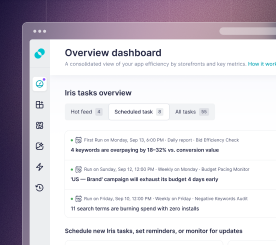
SplitMetrics Acquire shows each keyword’s optimization stage directly in the dashboard. This way, when you review a large portfolio, you do not have to start from the beginning. You can focus first on keywords where your decisions will affect spending, while keywords still gathering data remain unchanged until you have enough information.

The timing of your reviews depends on your funnel delay, which is the time users take from installing the app to completing the action you are optimizing for. This delay guides how often you should adjust bids, how much you’d change them, and which date range you should use.
| How long users take from install to target action | How often to adjust bids | How sharply to adjust | What period to evaluate |
|---|---|---|---|
| 1-3 days | Daily | 5-10% | Previous 3-7 days |
| Around 7 days | Every 2-3 days | 10-20% | Previous 7-14 days |
| More than a week | 1-2 times a week | 20-30% | Previous 14-30 days |
The table gives you starting ranges, not strict rules. How popular a keyword is and how quickly it gets results can shift these ranges. Don’t remove keywords just because of low volume – sometimes, in niche areas, keywords with fewer but cheaper conversions do better than broad, high-volume ones.
This review closes the keyword management loop:
This process works for each keyword and each market. The next step is to apply it across all your campaigns and markets together.
Scaling Apple Ads keyword management is all about multiplying your efforts. For example, if a delivery app operates in eight markets and runs four campaign types in each, that’s 32 campaigns.
With 200 to 300 keywords in the larger campaigns, you quickly reach several thousand keywords, even though your team size stays the same. Competition also increases the volume. In crowded categories, a single competitor might bid on more than 30,000 keywords. One of our clients built a negative list of 300 to 400 terms just to keep their Search Match traffic clean.
The review process from the last chapter still works at this scale, but editing keywords one by one is no longer practical. Now, you need to handle these tasks in bulk.
In SplitMetrics Acquire, you can manage scale using several bulk tools:


“Labels” and “Change History” help you keep track of your growing portfolio. “Labels” let you tag keywords by source, purpose, or experiment, making it easy to search as your list grows. “Change History” shows what changed, who made the change, and when. Every edit to bids, status, or budget is logged, whether it was done by a person or a rule.

Working with keywords across multiple markets brings its own patterns. For example, diaspora-language keywords like Turkish keywords in Germany often cost less than local-language ones. Seasonal keyword trends also vary by market, so even duplicated structures need a local review. The translation columns in “Keyword Discovery” and “Keyword Gap” help you review keywords without knowing every market’s language.
That covers the manual system from start to finish. Now, you just need to decide how much of the routine you want to keep and how much to automate.
What keywords should I use for Apple Ads?
Apple Ads campaigns usually use four main keyword groups. Brand keywords are your app and company names. Generic keywords relate to your app’s category and features. Competitor keywords use the names of other apps in your space. Discovery keywords help you find new searches with broad match and Search Match. The first three groups are set as exact match in separate campaigns, while discovery keywords go in their own campaign.
Does Apple Ads have a keyword planner?
Apple Ads offers native keyword discovery through its keyword suggestion tool, which helps you find related terms and displays keyword popularity based on App Store searches. Search Popularity in Apple Ads is a relative indicator displayed as numbers from 1 to 5, not an absolute search volume. If you want volume estimates, competitor keyword lists, or gap analysis, you can use Apple Ads optimization platforms like SplitMetrics Acquire that include market intelligence tools.
How is Apple Ads keyword management different from Google Ads?
Managing keywords in Apple Ads is different from Google Ads in several ways. Apple Ads relies on its own keyword suggestions and Search Match rather than a Keyword Planner. In Apple Ads, exact match includes misspellings and different word orders, and special characters do not matter. You often need to rebuild your Google keyword list because App Store search works differently from web search. Google App campaigns do not let you target keywords manually, so Apple Ads is where you create and manage your own keyword list.
How many keywords should an Apple Ads campaign have?
There is no set number of keywords for an Apple Ads campaign, since structure is more important than volume. Across the accounts SplitMetrics manages, bigger campaigns often have 200-300 keywords, and campaigns in several markets can have thousands. Your campaign has enough keywords when each one has a clear purpose and enough traffic to measure.
The system in this guide is simple and you can use it every week in every market. SplitMetrics Acquire handles the routine work for you. Automated rules take care of keyword reviews, and Samba, the AI bidding engine within Acquire, keeps your bids on track while your team focuses on strategy.
Try SplitMetrics Acquire to discover and manage keywords – get started for free.